MilaPay

How it works

Set it up once. Let MilaPay remember what comes next.

From the first customer record to payment, customer care and repeat business, MilaPay keeps the important parts of the relationship connected.

One connected customer journey

Sell. Collect. Remember. Follow up. Sell again.

Capture Request Collect Check in Reconnect
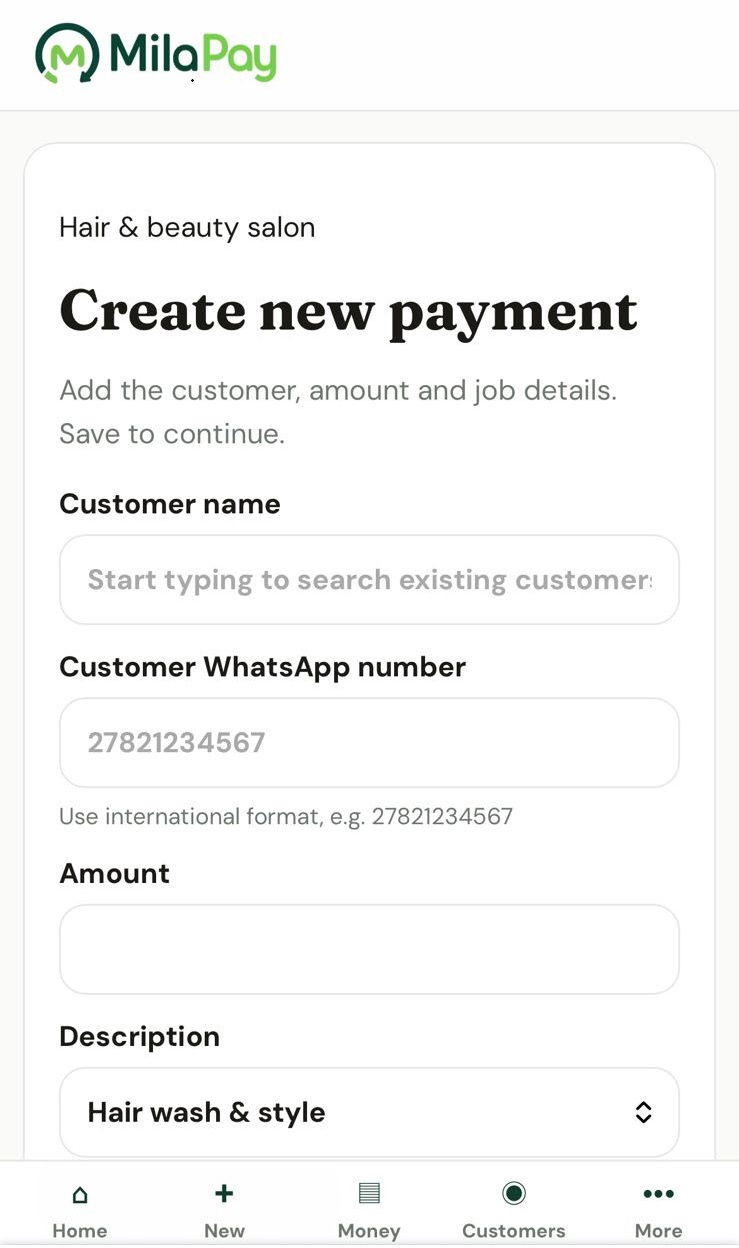
MilaPay new payment and customer screen
01

Capture the relationship

Add the customer and the work.

Record who the customer is, what they bought or booked, the amount involved and how they will pay. MilaPay creates one clear record for the customer journey.

Build customer memory while you work Customer details and transaction history stay connected from the start.
Use Quick Cash for on-the-spot sales Record paid sales without creating unnecessary admin.
MilaPay saved payment method screen
02

Set up once

Save how you want customers to pay.

Add your EFT details, eWallet instructions, payment link or connected Yoco account once. MilaPay uses the right details whenever you create a request.

Bank or eWalletSaved securely
Payment linkReady to share
Customer referenceCreated automatically

Hi Thabo, please pay R850.00 for the plumbing call-out.

Payment details and reference:
MPTHA4821

Check that the business and payment details match before paying.

Sent via MilaPay
03

Keep the conversation familiar

Review it, then send it through WhatsApp.

MilaPay prepares the amount, payment details, reference and verification link. You review the message, open WhatsApp and send it from your own number.

MilaPay customer payment verification page
04

Add reassurance

Customers can check the details before paying.

The verification page lets customers confirm that the payment message matches the business details registered in MilaPay.

Clear business identity Customers can check who the request came from.
More confident payment decisions Important payment details can be checked before money is sent.
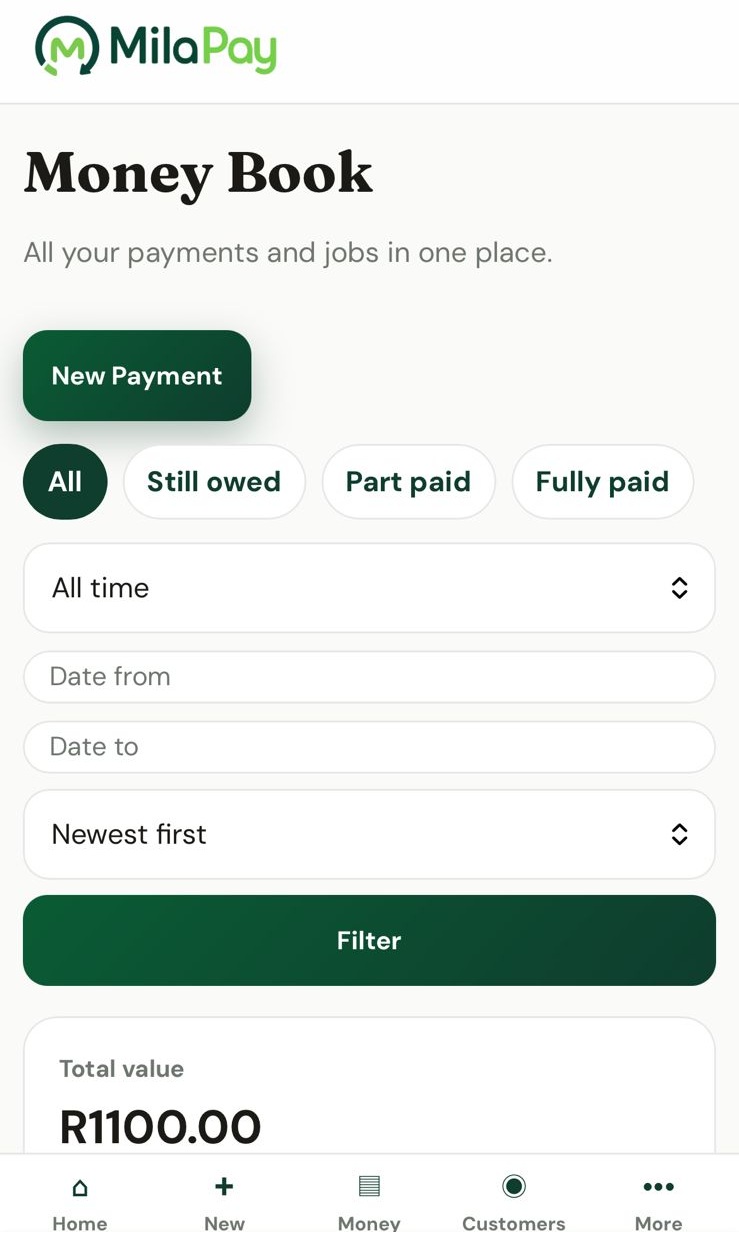
MilaPay Money Book showing paid, part-paid and outstanding records
05

See what is still open

Your Money Book keeps the status clear.

Record full or partial payments and see what has been requested, what has been received and what is still outstanding.

Part paid Still owed
MilaPay customer follow-ups and check-ins
06

Do not lose the customer after payment

Check in after the sale is complete.

Once a transaction is fully paid, MilaPay schedules an early customer-care check-in. It appears on the dashboard and Reminders page when it is within seven days.

Customer care first Ask whether everything went well after the completed sale or service.
Prepared WhatsApp wording Preview a natural message, then send it from your own number.
07

Create the next opportunity

Complete the check-in and MilaPay schedules the next follow-up.

The later date is based on the type of business and service. A salon may reconnect for the next booking, a direct seller may prompt a reorder and a tradesperson may follow up for maintenance.

Customer care Initial check-in completed Everything went well after the last service.
Next opportunity scheduled Reconnect when this customer may be ready again.
MilaPay business performance and customer activity

Learn from your own business

See what is working and where attention is needed.

Use your MilaPay history to understand what brings in money, which customers return, what is still outstanding and where repeat business is growing.

A clear next step for every customer

Sell. Collect. Remember. Follow up. Sell again.

MilaPay helps you keep the full customer journey organised without changing the way you already work.